background img

The New Stuff

Showing posts with label Windows. Show all posts
As of today, Skype has just released an update for its iOS app, making it much easier to merge Skype accounts with your Microsoft account. Microsoft recently decided to phase out Windows Live Messenger in favor of Skype, finally putting the $8.5 billion acquisition to good use, which allows users to Skype with Messenger, Hotmail, and Outlook.com contacts.

Start using and enjoying the update by signing into Skype with their Microsoft account and all the information, including history and contacts, will immediately be merged with their Skype account.

The update also brings other features, like the ability to edit individual messages by tapping and holding down on a message. The update has included emoticons, both animated and stagnant, that can be placed on IMs on Retina-equipped devices.

The update also contains some bug fixes Skype did not tell which bugs have been fixed.

Skype for iOS gets update to allow easy merge of Windows Live Messenger, Skype accounts

As of today, Skype has just released an update for its iOS app, making it much easier to merge Skype accounts with your Microsoft account. Microsoft recently decided to phase out Windows Live Messenger in favor of Skype, finally putting the $8.5 billion acquisition to good use, which allows users to Skype with Messenger, Hotmail, and Outlook.com contacts.

Start using and enjoying the update by signing into Skype with their Microsoft account and all the information, including history and contacts, will immediately be merged with their Skype account.

The update also brings other features, like the ability to edit individual messages by tapping and holding down on a message. The update has included emoticons, both animated and stagnant, that can be placed on IMs on Retina-equipped devices.

The update also contains some bug fixes Skype did not tell which bugs have been fixed.

Some of you may not know who Steven Sinofsky is, but he is, well was the Windows division leader, or chief in command  for Windows if you wish to call it. News came out earlier today that he has left the Organisation with immediate effect. No information has been released on how or why he left, but it will come as a shock to most people considering that the new 'flagship' operation system, Windows 8, was only released just weeks ago. Microsoft said the Julie Larson-Green will be replacing him in the role and becoming the lead role in hardware and software engineering.


However sources suggest that it could be due to an internal conflict between him and the chief executive, Steve Ballmer, but this could be true or false so its not really information to stick to however the shock of him leaving will have an effect on Microsoft, whether its good or bad we will not know until the future months to come.


could this be the slowing end for Microsoft? Could this be the change that Microsoft needs to really step up their game to stay on top? There is only one way to find out, see you in months to come.

Steven Sinofsky has Left the Building!

Some of you may not know who Steven Sinofsky is, but he is, well was the Windows division leader, or chief in command  for Windows if you wish to call it. News came out earlier today that he has left the Organisation with immediate effect. No information has been released on how or why he left, but it will come as a shock to most people considering that the new 'flagship' operation system, Windows 8, was only released just weeks ago. Microsoft said the Julie Larson-Green will be replacing him in the role and becoming the lead role in hardware and software engineering.


However sources suggest that it could be due to an internal conflict between him and the chief executive, Steve Ballmer, but this could be true or false so its not really information to stick to however the shock of him leaving will have an effect on Microsoft, whether its good or bad we will not know until the future months to come.


could this be the slowing end for Microsoft? Could this be the change that Microsoft needs to really step up their game to stay on top? There is only one way to find out, see you in months to come.


A new preview version of Internet Explorer 10 for Windows 7 will be available tomorrow, according to LiveSide. The site apparently got tis information from a Chinese technology blog called iFanr, which attended an IE10 media press event in Beijing today. Ifanr cited comments from a Microsoft executive, who announced the imminent release of the preview version of the browser.

The Microsoft spokesperson declined to comment, saying that the company doesn't talk about rumours.

If this is true, the update will be the first preview since June 2011. Since that time, Microsoft had given few details about further builds or information about when a final version of IE10 for Windows 7 would be available.

The company said in a blog post last month that a new preview would be available in mid-November. At that time, Rob Mauceri, group program manager of Internet Explorer, said the new browser for Windows 7 "has the same standards based platform for developers to taget as IE10 on Windows 8."


IE10 Preview Arriving Tomorrow


A new preview version of Internet Explorer 10 for Windows 7 will be available tomorrow, according to LiveSide. The site apparently got tis information from a Chinese technology blog called iFanr, which attended an IE10 media press event in Beijing today. Ifanr cited comments from a Microsoft executive, who announced the imminent release of the preview version of the browser.

The Microsoft spokesperson declined to comment, saying that the company doesn't talk about rumours.

If this is true, the update will be the first preview since June 2011. Since that time, Microsoft had given few details about further builds or information about when a final version of IE10 for Windows 7 would be available.

The company said in a blog post last month that a new preview would be available in mid-November. At that time, Rob Mauceri, group program manager of Internet Explorer, said the new browser for Windows 7 "has the same standards based platform for developers to taget as IE10 on Windows 8."


Microsoft has just announced the release date for the long-awaited Windows 8. The public can get their copy of Windows 8 on October 26th 2012. Steven Sinosfky made this announcement at Microsoft's annual sales meeting, and the Windows blog quickly shared the news. The launch date applies to both upgrades or installs on a new PC. Microsoft have been hinting an October release date for months now, but now we can official count down until the release.

Source: Microsoft

Windows 8 will be available on October 26th


Microsoft has just announced the release date for the long-awaited Windows 8. The public can get their copy of Windows 8 on October 26th 2012. Steven Sinosfky made this announcement at Microsoft's annual sales meeting, and the Windows blog quickly shared the news. The launch date applies to both upgrades or installs on a new PC. Microsoft have been hinting an October release date for months now, but now we can official count down until the release.

Source: Microsoft

Skype is delivering a fix to a "rare" instant messaging bug, which has currently only affected some operating systems. The bug is quite severe, it caused some instant messages to be sent to the wrong contant. Skype says that the bug occurred only when the user's Skype client crashed and they logged back in. There has also been reports that the same problem on Android and iOS were wrong, and that some versions of Skype for Windows did not contain the bug. "We can assure that users of Skype 5.9 for Windows, Skype 2.8 for Android and Skype 4.0 for iOS have not been affected."

The fix applies to Skype 5.10 for Windows, Skype 5.8 for Mac, Skype 4.0 for Linux and Skype 1.2 for Windows Phone. It should be available sometime today at the main Skype Download Page, with release notes. The desktop patch also includes a fix for saving files sent on a FAT32-formatted hard drive.

Source: Skype

Skype Rolling Out Fix For Instant Messaging Bug

Skype is delivering a fix to a "rare" instant messaging bug, which has currently only affected some operating systems. The bug is quite severe, it caused some instant messages to be sent to the wrong contant. Skype says that the bug occurred only when the user's Skype client crashed and they logged back in. There has also been reports that the same problem on Android and iOS were wrong, and that some versions of Skype for Windows did not contain the bug. "We can assure that users of Skype 5.9 for Windows, Skype 2.8 for Android and Skype 4.0 for iOS have not been affected."

The fix applies to Skype 5.10 for Windows, Skype 5.8 for Mac, Skype 4.0 for Linux and Skype 1.2 for Windows Phone. It should be available sometime today at the main Skype Download Page, with release notes. The desktop patch also includes a fix for saving files sent on a FAT32-formatted hard drive.

Source: Skype


Today Microsoft's Tami Reller announced that Windows 8 will Release to Manufacturing (RTM) in the first week in August, with a public release date in late October to retail stores. Reller also revealed at the Worldwide Partner Conference in Canada that the company is "on track" to finishing the final copy of Windows 8 in early August.

Microsoft revealed in late May that an RTM announcement was due "within two months," and also an early August date should be coming to be in line with the company's initial expectations. Microsoft recently has been compiling final versions of Windows 8, which include new features and the removal of Microsoft' Aero Glass UI in desktop mode.


Windows 8 launching late October, RTM 'on track' for August


Today Microsoft's Tami Reller announced that Windows 8 will Release to Manufacturing (RTM) in the first week in August, with a public release date in late October to retail stores. Reller also revealed at the Worldwide Partner Conference in Canada that the company is "on track" to finishing the final copy of Windows 8 in early August.

Microsoft revealed in late May that an RTM announcement was due "within two months," and also an early August date should be coming to be in line with the company's initial expectations. Microsoft recently has been compiling final versions of Windows 8, which include new features and the removal of Microsoft' Aero Glass UI in desktop mode.


Today, Microsoft has announced that the Windows 8 Pro upgrade will be $39.99. Windows fans may not be pleased to hear that the software update is going to be more expensive than OS X Mountain Lion.

Windows 8 Pro will be available across 131 markets and Microsoft also adds that your $40 will give you the ability to "add Windows Media Center for FREE through the 'Add features' section within the Windows 8 Pro," after you upgrade.

Upgrade to Windows 8 Pro Will Cost More Than OS X Mountain Lion

Today, Microsoft has announced that the Windows 8 Pro upgrade will be $39.99. Windows fans may not be pleased to hear that the software update is going to be more expensive than OS X Mountain Lion.

Windows 8 Pro will be available across 131 markets and Microsoft also adds that your $40 will give you the ability to "add Windows Media Center for FREE through the 'Add features' section within the Windows 8 Pro," after you upgrade.


Google Chrome will be available in Metro-style UI for Windows 8, very soon. Google has already started working on this version in early March. This version of Chrome is supposed to work on both Metro and desktop environments for Windows 8 in x86.

However, Google Confirmed that Chome will not run in WinRT, which is Windows 8 on ARM, since Microsoft is not allowing any browsers other than Internet Explorer 10 in that platform.

If you’re running the Release Preview of Windows 8, you’ll be able to try Chrome in Metro mode in the next Chrome Dev channel release by setting it as your default browser. The initial releases of Chrome in Metro mode will include integration with the basic Windows 8 system functionality, such as charms and snap view.

You will be able to install Chrome (Metro) for Windows 8 Release Preview very soon!

Google Chrome Metro Style for Windows 8


Google Chrome will be available in Metro-style UI for Windows 8, very soon. Google has already started working on this version in early March. This version of Chrome is supposed to work on both Metro and desktop environments for Windows 8 in x86.

However, Google Confirmed that Chome will not run in WinRT, which is Windows 8 on ARM, since Microsoft is not allowing any browsers other than Internet Explorer 10 in that platform.

If you’re running the Release Preview of Windows 8, you’ll be able to try Chrome in Metro mode in the next Chrome Dev channel release by setting it as your default browser. The initial releases of Chrome in Metro mode will include integration with the basic Windows 8 system functionality, such as charms and snap view.

You will be able to install Chrome (Metro) for Windows 8 Release Preview very soon!


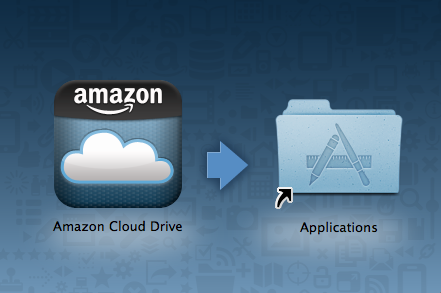
A few days ago, Google released it's Google Drive Cloud Storage Service, now Amazon has released it's Mac and Windows clients for it's Cloud Drive Storage which which was launched last year. Previously,
Amazon's Cloud was only accessible through the web browser.

Like Google Drive, Dropbox and Cloud drive, it includes 5GB of free storage. The Cloud Drive App requires Snow Leopard Or Lion.

You can get the Cloud Drive App from here

Amazon Releases Mac App To Access Cloud Drive From Finder


A few days ago, Google released it's Google Drive Cloud Storage Service, now Amazon has released it's Mac and Windows clients for it's Cloud Drive Storage which which was launched last year. Previously,
Amazon's Cloud was only accessible through the web browser.

Like Google Drive, Dropbox and Cloud drive, it includes 5GB of free storage. The Cloud Drive App requires Snow Leopard Or Lion.

You can get the Cloud Drive App from here

Windows 8 loading screen
It has been a few years since Microsoft released the popular Windows 7. And with figures released on the 20th of January 2012 showing that over 525 million licenses of Windows 7 has been sold, people are starting to wonder if Windows 8 will live up to Windows 7's level.
hands-on-windows-8-review
Windows 8 Desktop

I for one has seen Windows 8 and is a bit reluctant to decide if I will upgrade to it or not. Microsoft have decide to change their approach to their products as they have used the same look for most products such as Xbox 360, Nokia Windows 8 Tablet, Nokia Lumia and many more.

Windows 8 Commercial Preview has been released and is completely free to download and try it for yourself just by clicking this link.

Firstly lets take a look at the minimum requirements of your PC to run Windows 8:

  • 1 GHz or faster 32-bit (x86) or 64-bit (x64) processor
  • 1 GB RAM (32-bit) or 2 GB RAM (64-bit)
  • 16 GB available hard disk space (32-bit) or 20 GB (64-bit)
  • DirectX 9 graphics device with WDDM 1.0 or higher driver

Now lets look at 8 new features Microsoft has brought in to Windows 8:


Support For Both PC's and ARM Tablets: Windows 8 is the first Windows edition that will operate on both ARM Tablets and PC's.   


Tile Based User Interface: Although Windows 8 might look like a new design, Microsoft has just created a new user interface on top of a somewhat updated Windows 7. The Windows 8 start menu offers a mosaic look and allows customisation of the home page metro style applications. Windows 8 allows you to view information from applications without actually clicking on them. and still offers the original desktop but without the start menu button. 


Charm Bar: This is a new implementation of the traditional Windows start bar. The Charms Bar can be used to quickly change individual application settings. It is accessed by dragging your mouse to the bottom or top right hand corner of the screen, or pressing the Windows button + C. There are 5 options located in the charm bar, which are Start, Search, Share, Devices and Settings.  


Snap Multi-Tasking: This is designed to allow make it easy to run two or more applications side by side, to re-size them and to switch between them. However Windows 8 does not allow you to view all of your running applications on one page.


Notebook Reviews - Laptop Reviews and Netbook News Picture
Windows 8 Control Panel
New Control Panel: Microsoft has re-designed the control panel by adding new options such as Personalise, Users, Wireless, Notifications, General, Privacy, Search and Share. Personalise allows you to choose what applications you have on your start screen. 


New Web Browser: The new Internet Explorer 10 is built into the new Windows 8 and is designed to offer faster browsing and easier web navigation. 


USB 3.0 Support: Windows 8 offer compatibly for USB 3.0, which offers 10 times more speed than USB 2.0. Microsoft will provide native USB 3.0 drivers something that is not available on Windows 7, however on Windows 7 there are third party drivers for USB 3.0.   


Windows 8 multi-monitor desktopBetter Support For Multiple Monitors: Windows 8 will also bring better support for multiple screens. The preview allowed you to extended the tool bar across two screens, extended the desktop background across two screens and have the start screen on one monitor and the desktop on another without the use of any third party applications.   


I believe Windows 8 will take time to kick off and will take time to get used to as they have changed it dramatically.  


See What Windows 8 Looks Like Here
Find Out More About Windows 8 Here


Windows 8, is it Great?

Windows 8 loading screen
It has been a few years since Microsoft released the popular Windows 7. And with figures released on the 20th of January 2012 showing that over 525 million licenses of Windows 7 has been sold, people are starting to wonder if Windows 8 will live up to Windows 7's level.
hands-on-windows-8-review
Windows 8 Desktop

I for one has seen Windows 8 and is a bit reluctant to decide if I will upgrade to it or not. Microsoft have decide to change their approach to their products as they have used the same look for most products such as Xbox 360, Nokia Windows 8 Tablet, Nokia Lumia and many more.

Windows 8 Commercial Preview has been released and is completely free to download and try it for yourself just by clicking this link.

Firstly lets take a look at the minimum requirements of your PC to run Windows 8:

  • 1 GHz or faster 32-bit (x86) or 64-bit (x64) processor
  • 1 GB RAM (32-bit) or 2 GB RAM (64-bit)
  • 16 GB available hard disk space (32-bit) or 20 GB (64-bit)
  • DirectX 9 graphics device with WDDM 1.0 or higher driver

Now lets look at 8 new features Microsoft has brought in to Windows 8:


Support For Both PC's and ARM Tablets: Windows 8 is the first Windows edition that will operate on both ARM Tablets and PC's.   


Tile Based User Interface: Although Windows 8 might look like a new design, Microsoft has just created a new user interface on top of a somewhat updated Windows 7. The Windows 8 start menu offers a mosaic look and allows customisation of the home page metro style applications. Windows 8 allows you to view information from applications without actually clicking on them. and still offers the original desktop but without the start menu button. 


Charm Bar: This is a new implementation of the traditional Windows start bar. The Charms Bar can be used to quickly change individual application settings. It is accessed by dragging your mouse to the bottom or top right hand corner of the screen, or pressing the Windows button + C. There are 5 options located in the charm bar, which are Start, Search, Share, Devices and Settings.  


Snap Multi-Tasking: This is designed to allow make it easy to run two or more applications side by side, to re-size them and to switch between them. However Windows 8 does not allow you to view all of your running applications on one page.


Notebook Reviews - Laptop Reviews and Netbook News Picture
Windows 8 Control Panel
New Control Panel: Microsoft has re-designed the control panel by adding new options such as Personalise, Users, Wireless, Notifications, General, Privacy, Search and Share. Personalise allows you to choose what applications you have on your start screen. 


New Web Browser: The new Internet Explorer 10 is built into the new Windows 8 and is designed to offer faster browsing and easier web navigation. 


USB 3.0 Support: Windows 8 offer compatibly for USB 3.0, which offers 10 times more speed than USB 2.0. Microsoft will provide native USB 3.0 drivers something that is not available on Windows 7, however on Windows 7 there are third party drivers for USB 3.0.   


Windows 8 multi-monitor desktopBetter Support For Multiple Monitors: Windows 8 will also bring better support for multiple screens. The preview allowed you to extended the tool bar across two screens, extended the desktop background across two screens and have the start screen on one monitor and the desktop on another without the use of any third party applications.   


I believe Windows 8 will take time to kick off and will take time to get used to as they have changed it dramatically.  


See What Windows 8 Looks Like Here
Find Out More About Windows 8 Here


Popular Posts